
Our Services
Digital Archiving
From paper archives to digital: we scan your documents with professional scanners, organise them and make them securely accessible.
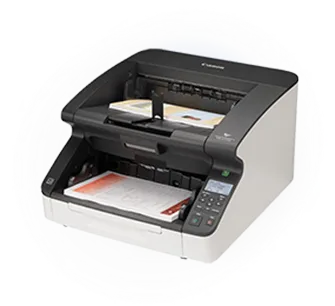
Definition
What Is Digital Archiving?
Digital archiving is the process of scanning physical information and documents with professional scanners, organising and storing them securely and making them quickly accessible when needed.
Digital documents managed with advanced solutions such as the Docsimum document management system are far better protected than paper archives. Put our experience to work and benefit from digital archiving.
Document digitisation
Physical documents are scanned with high-resolution professional scanners and turned into digital files.
Metadata tagging
Type-specific metadata is added to every document as it is recorded in the document management software.
Storage and access
Documents are stored securely on cloud or local servers, with controlled access through permissions.
Advantages
Advantages of Digital Archiving
Saves space
Paper archives need folders, cabinets and archive rooms. With digital archiving all documents are stored safely in electronic form, freeing office space for better use.
Reduces costs
Printing, stationery, copying, filing and storage costs disappear, with long-term savings on staff, maintenance and warehousing.
Fast and easy access
Any document can be reached in seconds by searching by keyword, date, type or category, with no time lost.
Secure storage and permissions
Documents are kept encrypted under access control. Who may access what can be defined in detail, and every action is traceable in logs.
Reduces risk
Fire, flood, physical wear and loss are risks that digital archiving reduces to a minimum.
Remote and shared access
Authorised users can reach the archive from anywhere with an internet connection, supporting remote and multi-site work.
Search and filtering
OCR makes even the content of scanned documents searchable, and metadata enables detailed filtering.
Version history
Updated versions of each document can be kept, with access to earlier versions and a record of changes.
Easier audits and reporting
Documents needed for legal or internal audits are easy to reach, and document movements can be reported.
Sustainability
Less paper and no physical filing support an environmentally responsible organisation.
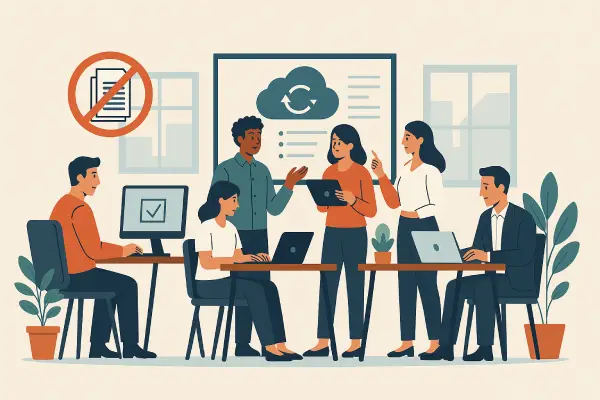
Go paperless
Cost advantage: Digital archiving cuts printing, stationery and storage costs and saves money over time.
Secure document management: Permissions, encryption and access logs ensure that only the right people see your documents.
Fast and easy access: Advanced search and filtering get you to the document you need in seconds.
Document types
Which Documents Do We Digitise?
Official and administrative documents
Common documents include invoices, delivery notes, contracts, quotations, order forms and accounting vouchers. They are used constantly in daily operations and are critical both financially and legally.
On paper they risk loss, damage and slow access. Once digitised they can be archived systematically, accessed easily and shared securely within permissions. OCR also makes them searchable, so records management becomes faster and more efficient, saving time and strengthening institutional memory.
Human resources documents
Documents used by HR departments are an important part of digitisation. Personnel files, CVs, onboarding papers, payslips, leave and timesheet forms are numerous and frequently updated and consulted. Digitising them reduces the HR workload, keeps information safer and better organised, and lets authorised users reach what they need quickly.
Corporate documents
These are the official records of a company’s decisions and communications, such as board resolutions, general assembly minutes, internal correspondence, petitions, reports and presentations. They matter both legally and for institutional memory. Digitising them simplifies archiving and gives fast access to past information, secure sharing and audit readiness, adding transparency while removing the paper burden.
Archive records
Records documenting past activities that must be kept for long periods, such as old archive files, official ledgers, registers and notarised documents. Digitising them saves space and prevents loss, wear and access problems. Classified and searchable, they can be viewed quickly when needed, which is a great help during audits.
Health and education records
Because they contain sensitive information, records of health and education institutions need both secure storage and easy access. Patient files, prescriptions and test results in hospitals, and transcripts, diplomas and student files in schools, can be digitised to meet legal duties and speed up processes, with strong benefits for privacy and access control. For institutions with large volumes of records, digital archiving is essential.
Legal documents
Legal documents such as case files, powers of attorney, enforcement papers and court decisions often have long retention periods and require strict security and access control. Digitising them reduces the paper load and gives fast, controlled access, while permissions ensure only relevant people can view them, making legal processes easier to follow.
Technical and project documents
Project drawings, technical reports and engineering papers combine visual and textual data and need digital storage for coordination, version control and long-term access. Digitisation lowers the risk of loss, gets you to the right version quickly and eases teamwork, and large-format drawings are far easier to share and archive.
Photos, slides, video and audio
Audiovisual materials such as photographs, slides, negatives, video and audio recordings are valuable for corporate history, training, meetings and projects. Digitising them prevents deterioration of the original media and offers high-quality storage and fast access; tagged with metadata, they become searchable.
The first step of digitisation
Physical Archiving
We also organise your physical archive, whether before digitisation or for documents that must be kept for legal periods. With sorting, cataloguing, labelling and relocation services we make your records systematic and accessible.
Sorting and organising
Documents to keep, digitise or destroy are separated and the archive is put in order.
Cataloguing
Folders and boxes are listed by document type, date and department, and the location of every file is recorded.
Labelling
Folders, boxes and shelves are marked with standard labels so documents are easy to find in the physical archive too.
Archive relocation
Moving the archive to a new room or warehouse is planned and carried out without losing its order.
Process
Our Digital Archiving Process

1. Collection
Documents to be digitised are collected from departments.

2. Digitisation
Documents are scanned into digital form.

3. OCR
Text is made searchable with OCR technology.

4. Metadata
Document information is entered into metadata fields.

5. Import
Digital files are saved to the Docsimum document management system.

6. Access control
User roles are created and permissions assigned.

7. Backup
Backup policies are set up to protect the documents.

8. Training and support
User training and support are provided.
FAQ
Frequently Asked Questions About Digital Archiving
What is digital archiving?
It is scanning physical documents with professional scanners into electronic form. The documents are classified, tagged with metadata and stored securely. The main benefit is fast, secure access.
Which documents can be digitised?
Many paper or film documents, such as invoices, contracts, personnel files, case files, technical drawings, photographs and film. The types vary with your field of activity.
Is the digital archive compliant with data protection law?
Yes. Our digitisation services and systems are provided in line with legal requirements, including the Turkish data protection law (KVKK), with permissions, logging and access control. After digital and physical documents are delivered to the client and approved, the data is irreversibly deleted from our systems.
Will paper archives disappear completely?
Digital archiving greatly reduces the need for paper archives, but some documents may still have to be kept for legally required periods.
Can businesses of any size use it?
Yes. Solutions can be adapted to any scale, from small businesses to large groups.
Does it save storage space?
Yes. Documents without a legal retention requirement can be destroyed while digital copies are kept safely. In our projects, companies have saved about 90% of their storage space on average.
Are digitised documents stored in the cloud?
Depending on preference, documents are usually kept on-premises. They can also be stored in cloud systems for easy external access, with the necessary security measures and monitoring.
Which devices are used for digitisation?
Professional equipment suited to each document type that does not harm archival material. For fragile and bound items we use planetary book scanners.
What is OCR and what is it for?
OCR (Optical Character Recognition) lets computers read the text on a scanned page, so you can search within documents and store them as searchable PDFs.
Which document management software do you use?
For companies without one, we recommend our own Docsimum. For companies already using other software, we load the digital documents into their system.
Digital Archiving Service
Contact us for details about our service and any questions.