
Document Management System Docsimum
Upload a document and let Docsimum recognise its type and read its data while you simply review. The AI runs locally, so your documents are not sent to an external AI service. On web and mobile, in the cloud or on your own server.
What is Docsimum?
What Is the Docsimum Document Management System?
Docsimum is a document management system that stores your organisation’s documents, reads and classifies them with AI, opens them to users by permission and runs approval workflows. Saving a document takes three steps, and the AI does the slowest one: data entry.
- 1
Upload
Drag and drop files, scan from the browser or capture with your phone. No need to choose a type or folder.
- 2
Let the AI read
Docsimum identifies the document type and category, reads details such as number, date, amount and company, and fills in the form.
- 3
Review and approve
Each value is shown in its place on the document. Compare at a glance and approve.
The new Docsimum
No more manual data entry
It uses AI without sending your data outside and without taking control out of your hands.
Recognises documents and fills forms
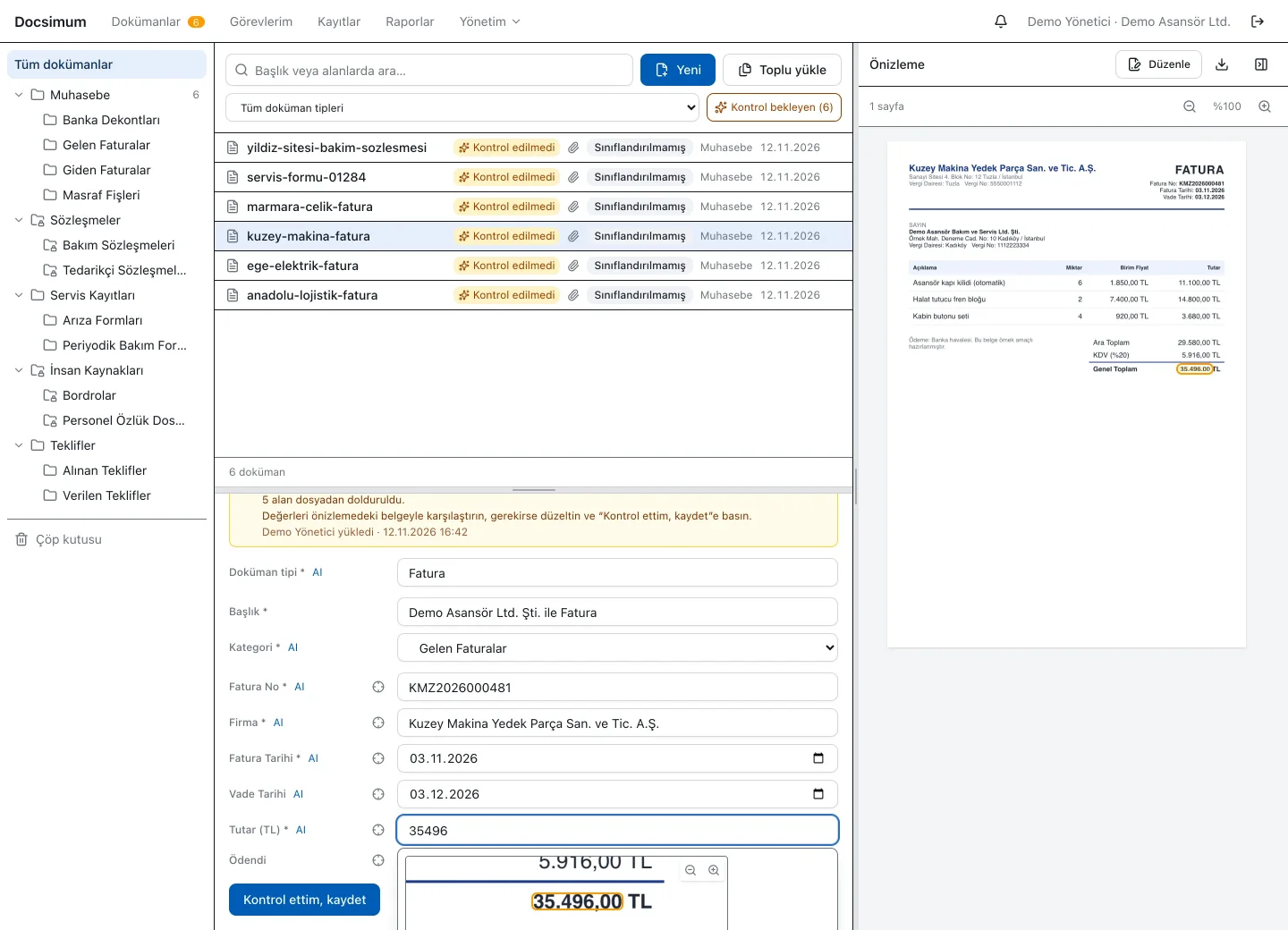
You don’t choose a type or folder when uploading. Docsimum suggests the document type and category and reads details such as number, date, amount and company.
Shows the source of every value
Click a field and the place it was read from is highlighted on the document. Nothing is saved without your approval.
Ask your documents
Ask your archive questions in Turkish and get answers with sources. Search and answers only use documents you are allowed to see.
OCR and scanning
Scanned PDFs and photos become searchable with OCR. Scan directly from a desktop scanner or capture multiple pages with your phone.
Built-in PDF editor
Reorder, rotate and delete pages or add pages from other files. Every save creates a new version and keeps the old one.
Android and iOS apps
Scan documents with your phone, search the archive and handle pending approvals and tasks wherever you are.
Features
The whole document journey in one system
Archive and search
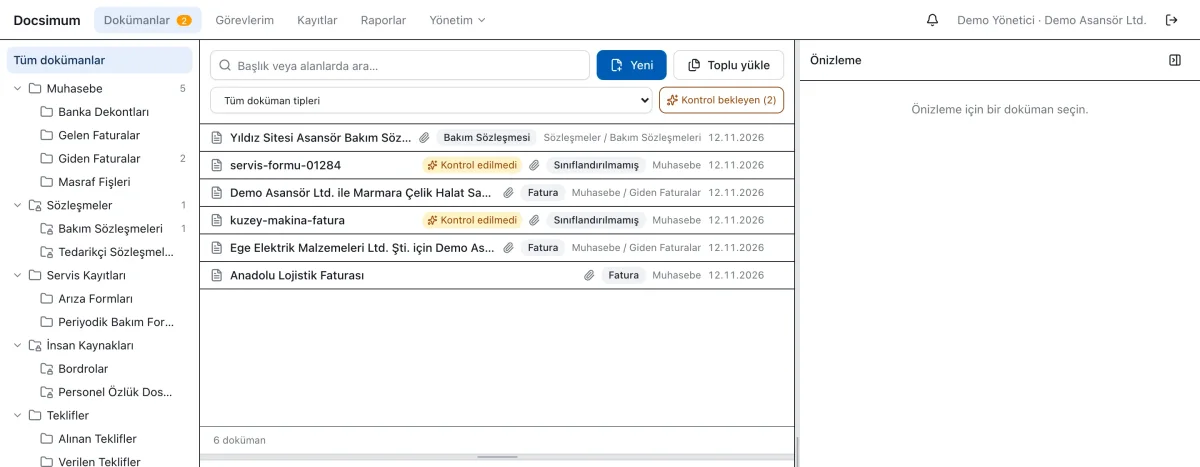
- Add documents by drag and drop or bulk upload.
- Full-text and semantic search across titles, fields and document content.
- Category tree, document types and items awaiting review on one screen.
- Deleted documents can be restored from the recycle bin; permanent deletion is reserved for administrators.
PDF editor and versioning
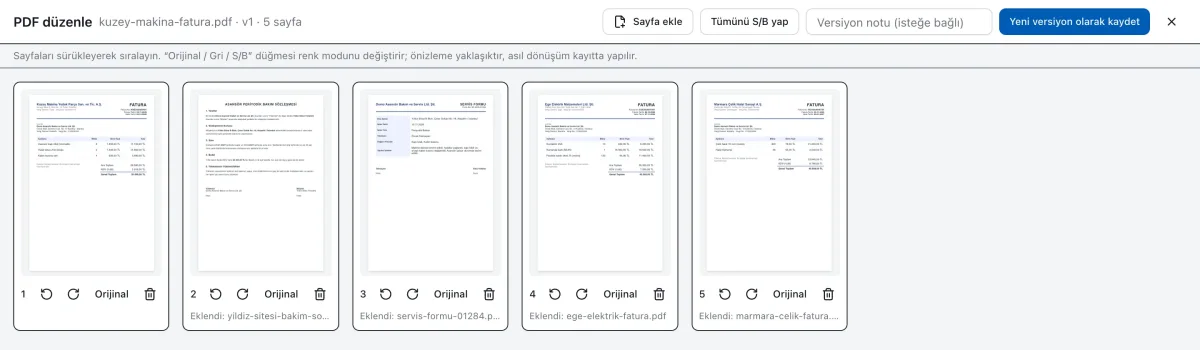
- No separate program is needed to edit PDFs.
- Reorder, rotate and delete pages, and add pages from other PDFs or images.
- Every upload and edit creates a new version; earlier versions are kept.
Reports
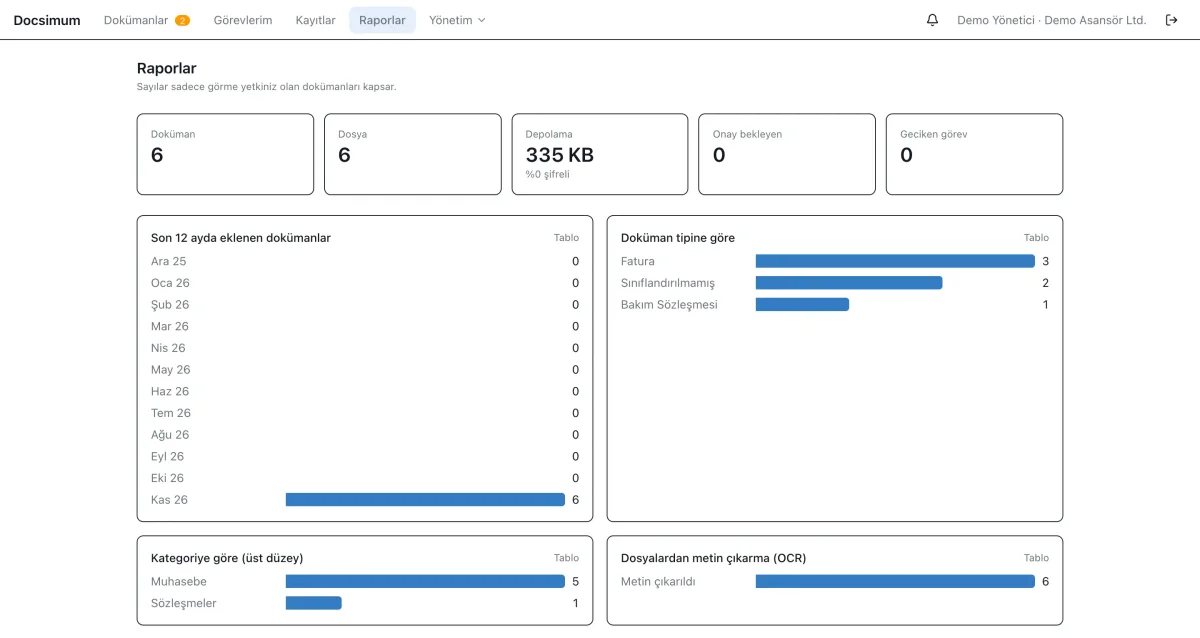
- Document counts, pending approvals and field totals on one screen.
- Group by company, category or month.
- Export results to Excel; reports include only documents you are allowed to see.
Approval workflows and tasks
Invoices, contracts and forms go through rule-based approval flows: step-by-step approval, rejection reasons, due dates, reminders and email notifications.
Custom fields
Define document types and fields without code. Draw a box on a sample document to create a field the AI will read.
Company, employee and project records
Companies are matched by tax number and employees by national ID number, preventing duplicate records.
Access control
View, open, add, edit and delete permissions per category, with sign-in through Active Directory / LDAP.
Tamper-proof audit log
Who changed what, when, and from which value to which is recorded. Entries cannot be updated or deleted.
File encryption and API
Files in categories you choose are encrypted with AES-256-GCM. A documented REST API connects ERP and other software.
Deployment
In the cloud or on your own server
Same product, same features. We can work out together which option suits your organisation.
Cloud
We host the server and handle installation and updates. Your data is kept in our hosting environment, dedicated to and isolated for your organisation.
On-premises
Installed on your own server with Docker, so data stays on your network. Thanks to local AI it also works on closed networks without internet.
Organisations using the Windows desktop version can move to the new system with a migration tool.
Use cases
For every team that works with documents
Invoice archive
Invoice number, date, amount and company are read, sent for approval and found in seconds.
Learn more ↗HR and personnel files
Personnel documents are kept per employee, with access limited to HR.
Learn more ↗Contract management
Archive with party, date and amount; search within clauses and track approvals and renewals.
Learn more ↗Field service forms
Forms scanned on site with a phone are found instantly by customer and date.
Learn more ↗FAQ
Frequently Asked Questions About the Document Management System
Are my documents sent to a service like ChatGPT?
No. Docsimum uses no external AI service. The language model runs locally on the server, and documents and questions are never sent outside.
What if the AI reads something wrong?
Values are suggestions and are not saved without your approval. Anything not found on the document is flagged for checking, so you can correct and approve it.
Can it be used without AI?
Yes. With AI turned off, archiving, OCR, full-text search, the PDF editor, approval workflows, permissions and reports all still work; type and fields are entered manually.
Can we move from the old Docsimum to the new version?
Yes. A migration tool moves the category tree, document types, fields, files and versions from the Windows desktop version. The migration is first run in test mode.
Which languages are supported?
The interface is currently in Turkish. OCR reads Turkish and English documents.
Does it provide e-invoicing, e-signature or registered email?
No. Docsimum is a document archiving and workflow system; it archives the documents produced by such services.
How much does it cost?
Pricing is quoted according to your number of users and deployment choice. There is no per-document or per-page AI fee.
See Docsimum with your own documents
In a half-hour demo, upload your own invoice, contract or form. To have your documents scanned and archived, you can also use our digital archiving service.