
Museum and Collection Management Software Muselera
Web-based software that securely manages inventory, archive, maintenance, conservation, loan and exhibition processes on one platform. With Muselera 2.0, Spectrum collection management procedures are now built in.
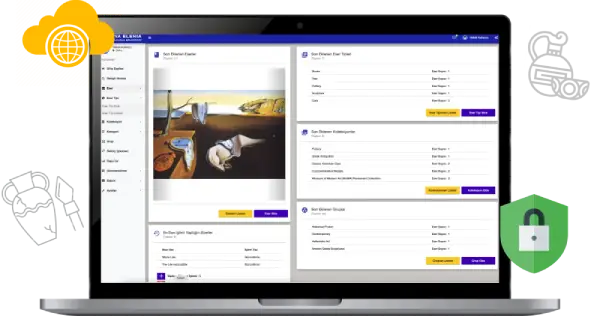
What is Muselera?
What Is Muselera Museum and Collection Management Software?
Muselera, also known as collection management software, is a comprehensive digital inventory system for museums, archives, libraries and collections. It lets you record, protect, track and exhibit every object in your collections securely and sustainably on a single platform.
Fast, easy and flexible
It is web-based, with nothing to install on staff computers. Each museum defines the fields that suit its own object types.
Secure inventory management
Permissions are role-based and user actions are logged; ownership, movement and provenance history is preserved.
International standards
Cataloguing and collection management are designed in line with international museum standards such as SPECTRUM and CIDOC-CRM.
Muselera 2.0
What’s new in Muselera 2.0?
A major update: Spectrum procedures, condition checking with damage marking, loan check-out and return checks, a new QR and label system and a redesigned interface.
Spectrum procedures
Support for the international Spectrum standard in acquisition, ownership and provenance, condition checking, location and movement control, and loans.
Condition checking
Numbered checks with 21 predefined purposes, standard condition terms, damage marking on photos and records that lock after 24 hours.
Ownership, acquisition and provenance
Numbered acquisition records, ownership status and history of each object and the chain of previous owners, with people and organisations in one list.
Loan check-out and return checks
Wizard-based check-out and return checks, camera photos, reference photos on return and a loan form that prints photos side by side.
QR codes and label designer
Short, readable codes with a check character, bulk code generation and a drag-and-drop label designer measured in millimetres.
Location tree and movement history
Search by name, custom code or QR, object counts per location, a reason for every move and a movement report exportable to Excel.
- New home page and dashboards
- Tasks and maintenance procedures
- Role-based permissions and secure sessions
- Windows, macOS and Linux server support
- Turkish, English and Dutch interface
- Works on tablets and phones
Features
Every collection process on one platform
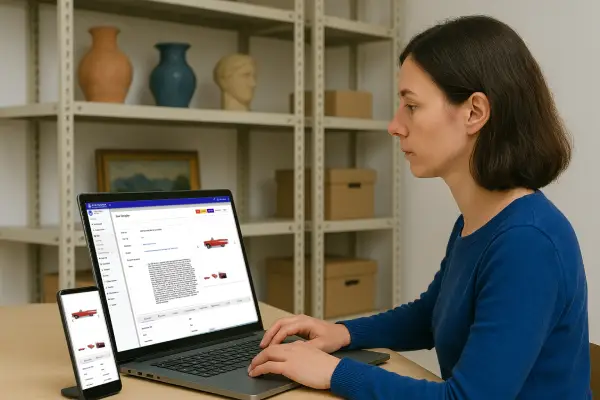
Digital inventory management
- Detailed information about every physically stored object is transferred to digital form.
- All metadata fields are recorded, including title, description, period, maker, material, dimensions, technique and condition.
- Multiple images, documents or digital files can be attached to each object.
- The inventory structure can be kept simple or made very detailed, depending on your needs.
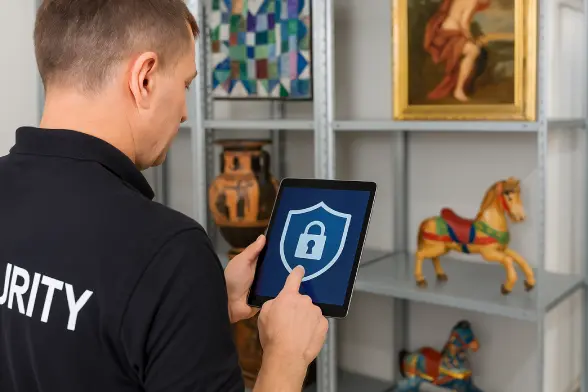
Object security and data protection
- Information can only be viewed and edited by authorised users.
- User roles can be defined, for example view-only users or users limited to specific collections.
- User actions are logged and only permitted file types can be uploaded.
- A blockchain algorithm, offered as a separate package, protects the integrity of the database.
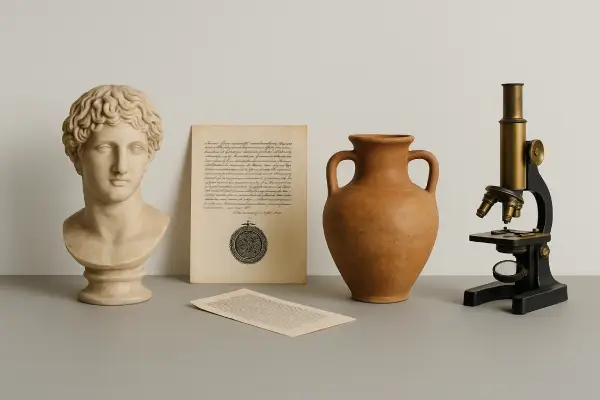
Universal compatibility
- Any object, from artworks and documents to immovable heritage and scientific instruments, can be described with its own properties.
- From ethnography museums to contemporary art galleries, from excavation archives to private collections, each institution builds its own structure.
- Muselera scales to institutions of every size.
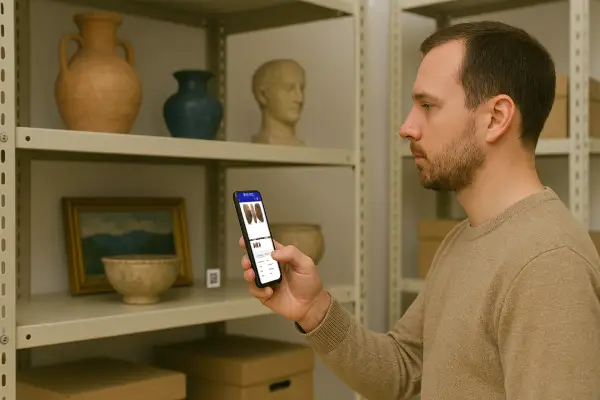
Physical location management
- Places are defined as a hierarchy (Museum › Building › Floor › Gallery › Showcase › Shelf).
- You can see where each object is, where it has been and who moved it.
- Location changes are updated in the system or by scanning a QR code.
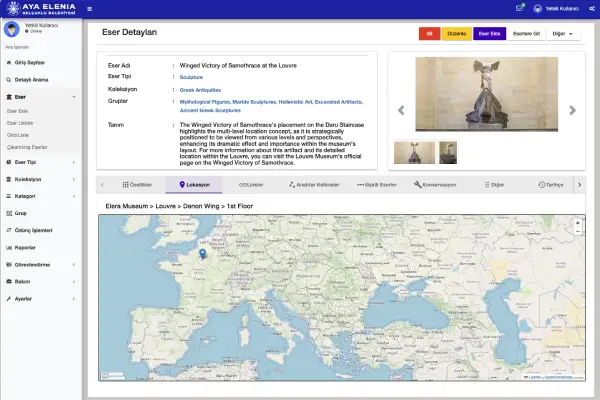
GIS (map-based management)
- Immovable cultural assets such as monuments, historic buildings, bridges and fountains are recorded on a map with their coordinates.
- Assets in a given region or city are found with location-based search.
- Photos and documents can be attached to each location.
- Location data can be imported and exported in KML, GeoJSON and Shapefile formats.
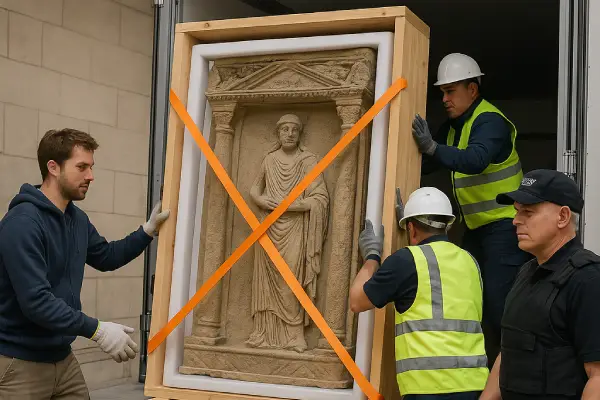
Loans and transfers
- Temporary transfers to other institutions for exhibition, maintenance, research, restoration or rental are managed in detail.
- Dates, destination, agreements and object condition are stored securely.
- The return process is tracked in the system.
Grouping
Objects can be grouped flexibly, regardless of type, collection, period, maker or location. Groups can be shared between users or kept as personal workspaces.
Tasks and workflow
Work such as maintenance, transport, inspection and updates is defined as tasks and assigned to people, with dates, priorities and status tracking and an archive of past tasks.
Preventive maintenance and conservation
Periodic maintenance tasks are defined for each object, and methods and results are recorded. Condition is monitored over time so maintenance needs are identified early.
Deaccessioning
Objects lost, damaged, returned, sold, donated or destroyed are removed from the inventory with reasons and documents, and the history is archived in detail.
Advanced search and filtering
Multi-criteria search across type, period, maker, location and collection, with results that can be listed, exported and reported.
In-app messaging
Users message each other inside the system; messages can be linked to objects, tasks or collections to make teamwork easier.
Benefits
Benefits of Museum and Collection Management Software
Greater object security
Because every object is recorded and located digitally, the risk of loss, mix-up or theft is reduced.
Timely maintenance
Periodic maintenance tracking helps prevent damage from humidity, heat, light and handling.
Lower costs
Paper records and manual tracking disappear, saving time and staff resources.
Easier audits
Up-to-date information is ready for internal or official audits, and activities can be reported.
Research support
Object history, acquisition details and related media are linked, making digital catalogue preparation easier.
Better visitor service
Digital catalogues and a multilingual interface make information easier to access.
Who is it for?
For institutions and collections of every size
- Museums (archaeology, ethnography, art, science, history)
- Art galleries and exhibition halls
- Libraries
- Archives
- Private collectors
- Municipalities
- Cultural directorates
- University art and history departments
- Foundations and associations
- Restoration and conservation companies
- Open-air museums
- Archaeological excavation teams
- Cultural heritage organisations
- Inventory and exhibition consultancies
FAQ
Frequently Asked Questions About Museum Management Software
Is Muselera secure?
Yes. Every screen requires sign-in, permissions are role-based and user actions are logged. Data is backed up automatically and versions are kept. For institutions that request it, database integrity is protected by a blockchain algorithm offered as a separate package.
Where is the data stored?
There are two options. In the cloud setup Muselera runs in professional data centres and we handle updates, maintenance and backups. In the on-premises setup the software runs on your own servers and internal network and can be closed to external access. Muselera 2.0 can be installed on Windows, macOS and Linux servers.
Which devices can we use?
Muselera is web-based and runs without installation in modern browsers such as Chrome, Firefox, Edge and Safari. It works on desktops, laptops, tablets and phones; photos can be taken with the camera and objects moved by scanning their QR code.
Does Muselera support the Spectrum standard?
Yes. Muselera 2.0 supports Spectrum in acquisition, ownership and provenance, condition checking, location and movement control, and loans.
Can we migrate our existing records to Muselera?
Yes. We import your existing inventory records and images with bulk upload and data validation. If needed, we also take on inventory, cataloguing and photography work.
See Muselera for your museum
Contact us for a demo tailored to your type of collection. For inventory, cataloguing and digitisation work, you can also use our museum consulting service.