
QR Code Generator Qrcodeg
Create, manage and track your dynamic QR codes from one dashboard. Change the content after printing without reprinting the code. Static QR codes are free.
What is Qrcodeg?
What Is the Qrcodeg QR Code Platform?
Qrcodeg is a QR code platform developed in Türkiye, serving users since 2020. Individuals and businesses create dynamic and static QR codes in a few steps in the browser, with no software to install.
- 1
Choose a type
Business card, menu, PDF, website, form or Google review: pick the QR code type you need.
- 2
Design it
Match your brand with ready-made designs, colours, patterns, frames and your logo, and test the scan before downloading.
- 3
Share and track
Print the code or share its short link, follow scans in your dashboard and update the content whenever you like.
What’s new
What does Qrcodeg offer?
Features that keep your printed materials current without reprinting them.
Google Review QR code
Type your business name and your review link is found automatically, so customers reach the review screen with one scan.
Form QR code
Build registration, survey and feedback forms; visitors fill them in without signing in and answers collect in your dashboard.
A short link for every code
Every dynamic QR code comes with a kod.kim short link, and you can choose its ending with 7–15 letters.
Scan reports
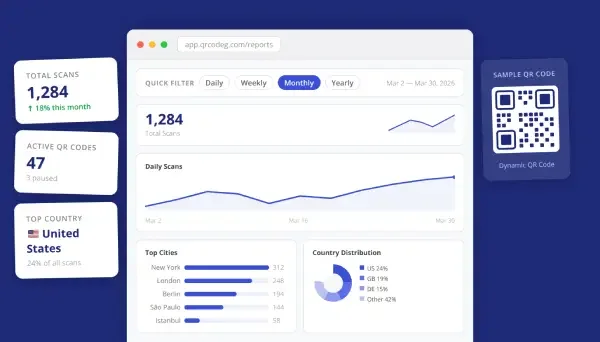
See scans in charts by date, country, city and device. Link opens are counted in the same report.
Design options
Ready-made designs, different patterns and corner shapes, gradients, your logo and a “Scan me” frame.
Mobile app
Your codes and statistics in the iPhone and Android app, with company codes shared with your team.
Highlights
From business cards to forms, in one dashboard
Digital business cards and wallet support
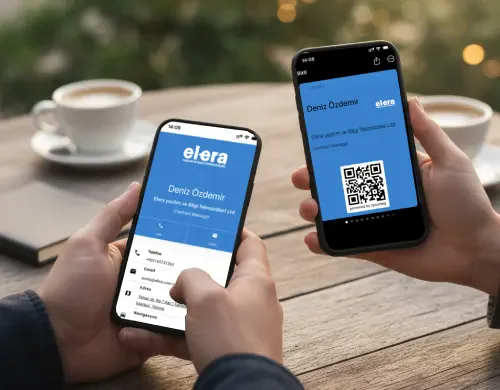
- Anyone who scans your business card QR code can save your details to their contacts in one tap.
- Your card can be added to Apple Wallet and Google Wallet.
- When your details change, there is no need to reprint the card.
- A physical NFC digital business card is also available.
QR code form builder
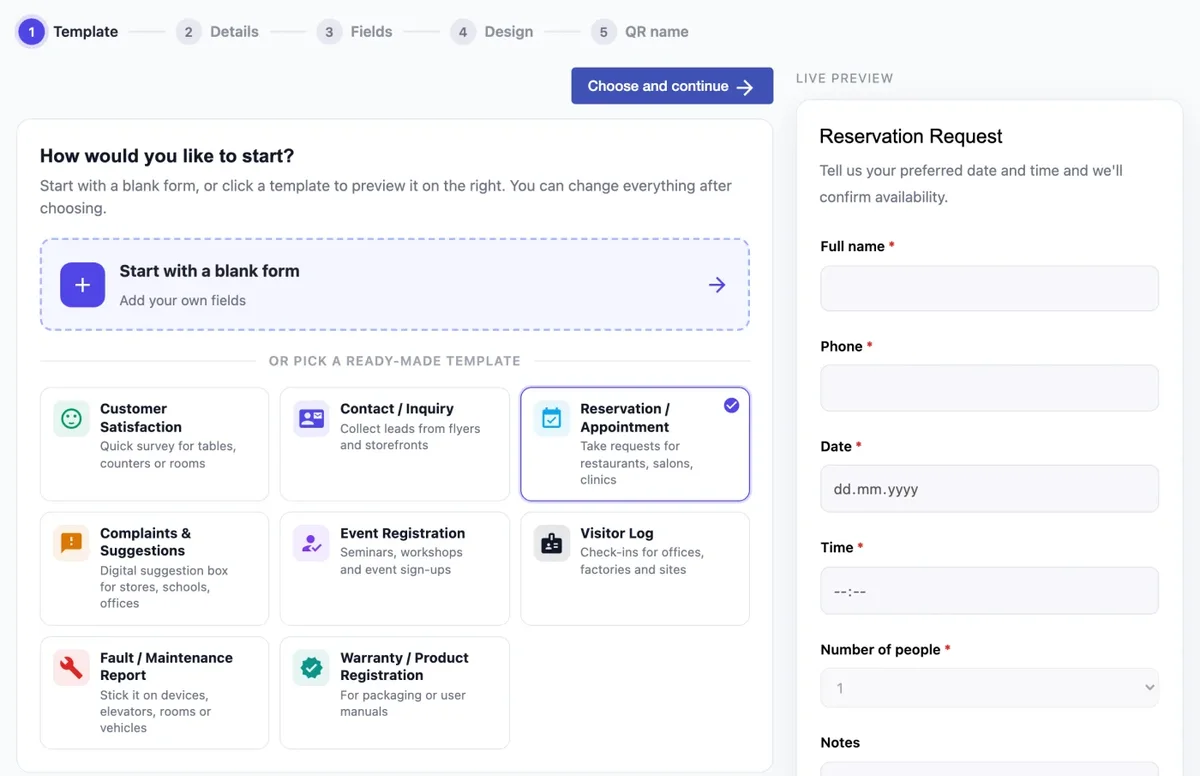
- Ready-made templates such as reservations, customer satisfaction and event registration, or a blank form.
- Live preview as you add and reorder fields.
- Responses collect in your dashboard.
Company QR sharing
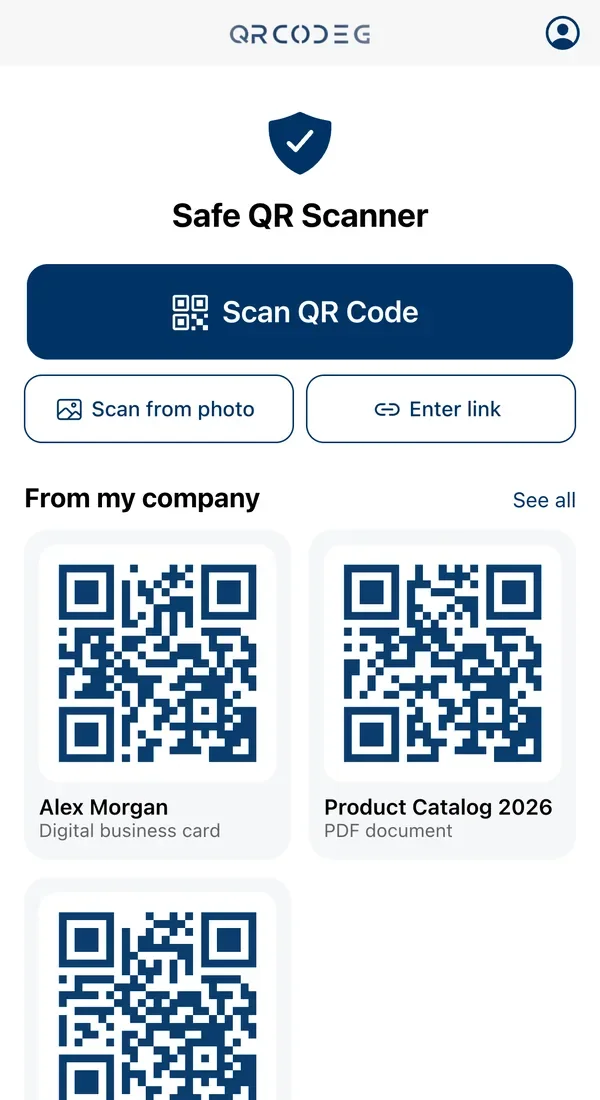
- Send your company’s business card, catalogue and website codes to your employees’ phones.
- Employees join without creating an account.
- Customers scan the code from the employee’s phone.
Dynamic QR code types
Choose the type you need
Codes whose content can be changed after printing and whose scans can be tracked.
- Business card
- URL / website
- Google Review
- Form
- Social media
- Menu
- Product
- Mobile app
- Photo gallery
- Invitation
- Pet tag
- Lost and found
Free static types: business card, calendar, text, SMS, Wi-Fi, location, WhatsApp, Facebook, X and email.
Comparison
Dynamic vs. Static QR Codes
Dynamic QR code
Content can be changed later, scans are reported and there is no scan limit. The simpler pattern can be printed small. Purchased yearly per QR type with no automatic renewal, with a 14-day free trial.
Static QR code
Information is stored permanently in the code, so it cannot be changed or tracked. It is free. Design and PNG download are free; logo and SVG require a free account.
FAQ
Frequently Asked Questions About QR Codes
What is the difference between dynamic and static QR codes?
In a static QR code the content is fixed. In a dynamic QR code the content can be updated and scan statistics are tracked.
Can I try it for free?
Yes. You can try dynamic codes for 14 days without a credit card. Static QR codes are free.
Does it renew automatically?
No. Dynamic codes are purchased yearly with no automatic renewal; you receive an email reminder before they expire.
Is there a scan limit on dynamic QR codes?
No, there is no scan limit.
Can I change the content of a printed QR code?
Yes, for dynamic codes. The code stays the same and you update its destination in the dashboard.
Which QR code types can I create?
Dynamic types such as business card, website, menu, PDF, form, Google review, social media, product, mobile app, photo, invitation, pet tag and lost and found, plus free static types such as Wi-Fi, location, SMS, text, calendar and WhatsApp.
Create your first QR code
Try it free for 14 days. For corporate or bulk needs, you can also talk to us: contact.